للمساعدة اكثر اقرا المزيد
How to Flash Lava A10:
Install MTK Driver.
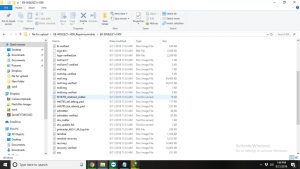
1- Download the package & Extract SP Flash tool.
2- Out of the icon appearing, Double click on Flash_tool.exe
3- it will launch the tool on your PC, Click on Scatter-Loading appearing on the Right side of the tool.
4- Now, assign the firmware which will be in form “Android_scatter.txt”.
5- Click on Download to start flashing.
6- Switch off your Mobile and Connect it to PC by pressing Boot key in off mode.
7- It will lead you to Successful Flashing الترجمة
1-كيفية فلاش الحمم A10: تثبيت برنامج تشغيل MTK. 1. 2-قم بتنزيل الحزمة & Extract SP Flash tool. 2- خارج الأيقونة الظاهرة . 3-انقر مرتين على Flash_tool.exe 3 4-ستطلق الأداة على جهاز الكمبيوتر الخاص بك 5-انقر فوق تحميل مبعثر الظاهر على الجانب الأيمن من الأداة. 6- الآن ، قم بتعيين البرامج الثابتة التي ستكون في شكل “Android_scatter.txt”. 7- انقر فوق “تنزيل” لبدء الوميض. 8- قم بإيقاف تشغيل هاتفك المحمول وتوصيله بالكمبيوتر 9-عن طريق الضغط على مفتاح التشغيل في وضع الإيقاف. 10- سوف تقودك إلى نجاح اللمعان