روت والغاء بوت لودر لهاتف ROOT A505FN U3 Android 9 Pie – GALAXY A50
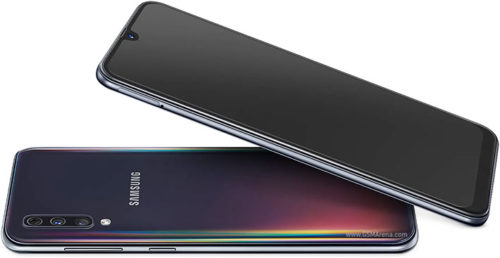
روت والغاء بوت لودر لهاتف ROOT A505FN U3 Android 9 Pie – GALAXY A50
تنويه قبل البدء بالعمل :
-
الروت يفقد الضمان
-
لن يعمل المجلد الامن بعد عمل روت للهاتف
-
لن تعمل خدمة SAMSUNG PASS بعد عمل روت للهاتف
-
الروت يفقد البيانات
ملاحظة : يجب التقيد حرفيا بالشرح كي تتم العملية بنجاح وتفاديا للوقوع بالاخطاء
نقوم بتفليش هذه الفلاشة اولا
بعد التفليش نقوم باكمال الاعدادات ونوصل الهاتف بالانترنت ونضيف gmail ونتاكد من الغاء جميع الحمايات
نقوم بادخال الهاتف الى الريكفري
نقوم بعمل وايب كاش وايب داتا ريسيت
نقوم بالضغط على ريبوت بوت لودر
نقوم بتفليش ملف الروت الفلاشة الكاملة ببرنامج الاودين مع ازالة التحديد عن خيار Auto Reboot
بعد التفليش نقوم بادخال الهاتف الى الريكفري ونقوم بعمل وايب داتا
نكمل الاعدادات ونوصل الهاتف بالانترنت وندخل حساب gmail
نقوم بتثبيت اخر نسخة من تطبيق ماجيسك ونطفئ الهاتف وننتظر لمدة دقيقة
نقوم الان بالضغط على زري البور ورفع الصوت لمدة ثانيتين
ومبروك عليكم
==============================
notice before starting work
Root loses warranty
The safe folder will not work after rooting the phone
PASS SAMSUNG service will not work after rooting the phone
The root loses data
note: the explanation must be strictly adhered to in order for
the process to be successful and to avoid errors
first flash this firmware
Download here
after flashing we complete the settings connect the phone to the Internet add gmail
and make sure to cancel all protections.
connect the phone in recovery mode
and web cache and web data
and reboot bootloder
and flash full flash root firmware file by odin and not select (Reboot Auto)
download here
after flash go to recovery and web cache and web data
complete the settings connect the phone to the internet and enter the gmail account
and Install latest version magisk
and turn off the phone 1 minutes
now pressing the power buttons and raising the volume for two seconds
all done
ABD ARAB
house-gsm TEAM
